This post is prompted by the chat we had with @fricklerhandwerk in Community Calendar - #103 by fricklerhandwerk. I wanted to submit it the same evening, but I experienced some sort of a time warp and now I find that yesterday was twelve days ago.
Arguably, one sizeable hindrance to the wider adoption of Nix (and to just using it) is the amount of public content out there that is wrong, outdated, misleading, and at times communicates anything but the right idea. This ranges from dangling chunks of outdated documentation, to unresolved discourse questions, to bad advice, and to various absolutist statements better served with a lot of disclaimers: “No, we can’t do X with Nix{,pkgs,OS}” because that is, say, “impure”. This is why, while I’ve really enjoyed our conversation and while I think Valentin has done an amazing job with the dialogues, I’m rather unsatisfied with what I myself have said (which was many unimportant things missing the bigger points).
Some random, brief, incoherent, and very much non-comprehensive draft notes follow, reiterating several times how Nix is usable today and right now, not much less so than conda or docker. These notes should possibly avoid making assumptions of any specific level of the Reader’s familiarity with Nix. In fact, the first half of these notes must be rather annoying to anyone who has had spent time with Nix, because it’s just regurgitating known and obvious properties of this tool, and not in the best possible language. The audience I rather had in mind is the Nix-curious people who might still doubt whether “Nix is for the masses” or even whether Nix is fit “for their use-case”. On the other hand, that audience might be annoyed by the second half of the notes, since it relies on the hidden context more. My apologies to both.
 An important disclaimer to make is that I’m not an expert in “Nix”, or in GPU programming. I’m new to HPC as well. Misquoting somebody from the internet, I just try to generate statistically plausible texts. This primarily amounts to repeating what other people say. I also apologize for using the misnomer “AI”.
RE: “What can we do with Nixpkgs’ cudaPackages now?”
Pretty much everything you can do with the rest of Nixpkgs.
There’s no need to remember cudatoolkit or cudaPackages
I’m bound to fail and write non-sense, but let me try and elaborate: when people check out pytorch from nixpkgs, they will often find snippets online such as (WARNING: don’t) mkShell { packages = [ cudaPackages.cudatoolkit (python3.withPackages (ps: [ ps.torchWithCuda ])); }. This is unfortunate, because it obfuscates a nice and obvious feature of Nix(pkgs): torchWithCuda is already linked directly to the correct version of cuda (the one it’s been built with), and only to the parts that are still relevant at runtime. In short, (python3.withPackages (ps: [ ps.torchWithCuda ])) is self-contained (except for the userspace driver). Unsurprising?
- If you’re just looking to use CUDA-accelerated pytorch/tensorflow/blender/etc, you do not need
cudatoolkitor any other pieces ofcudaPackages(save fornsys-ui) in yourmkShell. They will have no effect (other than fetching a couple gigabytes of the stuff you won’t use). You only need those when you’re building new programs linking against CUDA. - One exception is when you use NixOS and run the so-called “FHS” programs, i.e. software built with the assumption of a particular OS, e.g. like native python packages from PyPi are only built to work on CentOS. Programs like that usually come without their dynamic dependencies, or they might just fail locating them. In these cases you might find yourself using
nix-ldand settingNIX_LD_LIBRARY_PATH(or evenLD_LIBRARY_PATHdirectly) to something likelib.makeSearchPath "lib" [ addDriverRunpath.driverLink cudaPackages.libcublas.lib /* ... */ ] - On a related note, you don’t (usually) need to reference
nvidia_x11directly. It’s linked impurely using NixOS or using wrappers likenixglhostandnixGL. It’s also almost universally the wrong thing to do. Most of the time the only correct way to refer to the nvidia driver is in NixOS (not Nixpkgs), and only throughconfig.boot.kernelPackages.nvidiaPackagesorconfig.hardware.nvidia.package.
Binary cache
Before we move on, a remark: if you want to try out the snippets from this post, you’ll probably want to reuse some unofficial binary cache, at least for the CUDA bits (tensorflow builds are not inexpensive). A long-term foundation-endorsed solution is likely going to happen, and probably soon. One option for now, however, is the cuda-maintainers.cachix.org used by the CUDA team (e.g. linked from the team page), which is a temporary volunteer-run insecure solution used purely for test and development purposes. It’s approximately 150G with garbage collection turned on, so do expect cache-misses. The cache prioritizes the unstable channels. Cf. the build logs to find a recently cached nixpkgs revision. There might be more public caches that contain cuda-accelerated packages, notably I’d maybe check the nixified-ai and NixOS-QChem.
“Drivers”
One more remark, specific to NVidia. CUDA is special, because we don’t link everything at build time, and that’s not likely to change. The CUDA “user-space driver” is a shared library, libcuda.so, that comes with the kernel module and can only be used with that kernel. This is just how it is today, and the reasons may have something to do with the concept of “intellectual property”.
If you’re running Ubuntu, you’ll have to rely on Ubuntu to provision this special library (which is something that otherwise never happens with Nix). This is a relatively confusing story involving the LD_LIBRARY_PATH and libc compatibility issues, the current solution to which is automated e.g. in numtide/nix-gl-host. If it fails (it’s new, it might), please open an issue on github. You could avoid the Ubuntu-deployed libcuda by using nixGL.
With NixOS things are simpler: you control the driver version, so there are no unknowns. You set hardware.opengl.enable = true (there’s no dedicated option for CUDA yet, which is very confusing but is being addressed), and you enable nvidia drivers with services.xserver.videoDrivers = [ "nvidia" ] (another confusing name, a relic of time). You control which driver you use by setting hardware.nvidia.package to one of the values from config.kernelPackages.nvidiaPackages. Programs from nixpkgs will just know where to find the drivers deployed by NixOS.
import nixpkgs
On to the examples and usages. When you use CUDA-accelerated applications from Nixpkgs today, you normally want to create an entire Nixpkgs instance, configured to build everything with CUDA support by default, and maybe limited to target just the CUDA “capabilities” (architectures, gencodes, …) you actually use (or the closest configuration the binary cache is available for). The reason for the former is consistency, and the reasons for the latter are the build times and closure sizes. “Consistency” refers to the following issue: with import nixpkgs { system = "x86_64-linux"; }; python3.withPackages (ps: with ps; [ torchWithCuda torchvision ]) is “incorrect” and might even crash at runtime, because torchvision was also built with and links to a version of torch, but to the cpu-only variant instead of torchWithCuda. To avoid this, you need the whole python3Packages scope to use the CUDA variant of torch. You could achieve that using overlays and pythonPackagesExtensions, but the easier and safer way is to just enable CUDA “globally”.
- To get CUDA consistently enabled, you use
import nixpkgs { config.cudaSupport = true; }(partial example, see below), wherenixpkgscould refer to a flake input or a channel (e.g.<nixpkgs>). Snippets valid at the time of writing:nix-shell --arg config '{ allowUnfree = true; cudaSupport = enable; } -p 'python3.withPackages (ps: with ps; [ torch torchaudio torchvision ])',nix build -f '<nixpkgs>' --arg config '{ allowUnfree = true; cudaSupport = true; }' blender
- You can limit the target CUDA capabilities to e.g. V100s and A100s by passing
config.cudaCapabilities = [ "7.0" "8.0" ]to Nixpkgs:nix-shell --arg config '{ allowUnfree = true; cudaSupport = true; cudaCapabilities = [ "8.6" ]; }' -p colmap
Similarly, you can use ROCm with the AMD (RDNA, CDNA, ..?) GPUs: (import nixpkgs { config.rocmSupport = true; }).python3.withPackages (ps: [ ps.torch ]). Just as with CUDA, ROCm support in Nixpkgs is under active development, the APIs (e.g. the config options, like config.rocmSupport) are subject to change, and you’ll definitely find rough edges that need fixing. If you open a PR or issue related to ROCm, there’s a github team to tag. All updates will be reflected in the manual and the changelog.
flakes
There isn’t anything special about CUDA/ROCm when it comes to the “Nix flakes” either. Instead of using your nixpkgs input’s legacyPackages, you instantiate it with a new config:
outputs = { nixpkgs, ... }:
    with import nixpkgs { system = "x86_64-linux"; config.allowUnfree = true; config.cudaSupport = true; };
    {
        devShells.x86_64-linux.default = mkShell {
            packages = [ blender colmap opensfm ];
        };
    }
There are obvious inconveniences generally applicable to the current experimental implementation of flakes: if you want to pass a cuda-accelerated nixpkgs as an input to another flake, you will have to make an extra flake mirroring nixpkgs with the different config; when you expose a flake output that depends on an allowUnfree=true nixpkgs, this allowUnfree is hidden from your users (including when your flake is a transitive dependency for another project), i.e. they’re forced into “accepting” the licenses implicitly; flakes do not provide anything in place of --arg or --apply.
self-contained and hands-free
Stating more of the obvious, same as you can nix run nixpkgs#vlc, you can nix run CUDA/ROCm-accelerated packages exposed e.g. in various community projects: nix run -L github:nixified-ai/flake#textgen-nvidia.
As on cluster, so locally and at the edge
Disclaimer: I haven’t (yet) used Nixpkgs-based images for multi-node training, and I don’t know who does. It might well be that Nixpkgs’ MPI and collective communications libraries still need some work to support these specific use-cases. They probably also come with a plethora of additional compatibility problems
This section brings even more uninteresting trivia, which isn’t in any way special to HPC or CUDA.
A common need when working on a complex program intended to be deployed in a complex environment, like in the cloud or on a cluster and maybe together with a number of services, is to quickly iterate on this program locally. Like for debugging purposes. Naturally we want the local test deployment to approximate the “production environment” as closely as can be, and we want the program to possibly use the same dependencies it would’ve used in the real world. This suggests an obvious solution both to local and production deployment: containers. Or at least that’s what somebody might think.
In “HPC” environments it is common to use the so-called “singularity containers”. The process might look as follows: one starts out with a docker image, e.g. FROM nvcr.io/nvidia/pytorch:23.11-py3 (14.8GB); they follow by a series of apt-get install or conda install commands; finally, one converts the result into a special squashfs image (say, 8GB). Programs from that image are run as if it were a normal container, only we’d use SETUID instead of user namespaces. This kind of a “container” can be instantiated both locally and on the cluster. All problems addressed? We even enjoy the additional benefit of not paying the cost of small files on distributed file systems because we’ve squeezed them into the squashfs. Moreover, when we mount host directories, we don’t even suffer from docker’s permissions and ownerships issues.
Of course we haven’t solved “all” problems. Not to mention we never actually needed containers, at least not until we’ve mentioned the distributed filesystem, and it’s ridiculous even to bring up the permissions. The sequential description in the Dockerfile has to be executed sequentially which e.g. limits the usefulness of caching the intermediate build results. Perhaps more importantly, this makes our deployment process less deterministic: the outputs and the success might and do depend on the order and grouping of operations, as well as many external conditions. Even the dependency solver part of Conda might produce different results, depending on the packages installed in the “environment” earlier. Not to mention pip’s new solver having to download sometimes tens of gigabytes of different variants of the same packages, before a compatible combination of dependencies is discovered. In short, quite a few issues remain and containers were never meant to address them.
This contrasts with Python and CUDA/ROCm in Nixpkgs: reiterating, they’re not too different from the normal Nixpkgs software. Composing Nix packages is more or less additive (less so for Python packages): it doesn’t matter in which order you list the dependencies, and it mostly doesn’t even matter what their transitive dependencies were. There’s usually enough isolation not to care about this sort of things, and the package sets are also organized in a way that optimizes “consistency”.
Similarly, it doesn’t matter if you’re composing your packages into an ephemeral nix-shell, or into a Docker image, or for use with Singularity (or many more things).
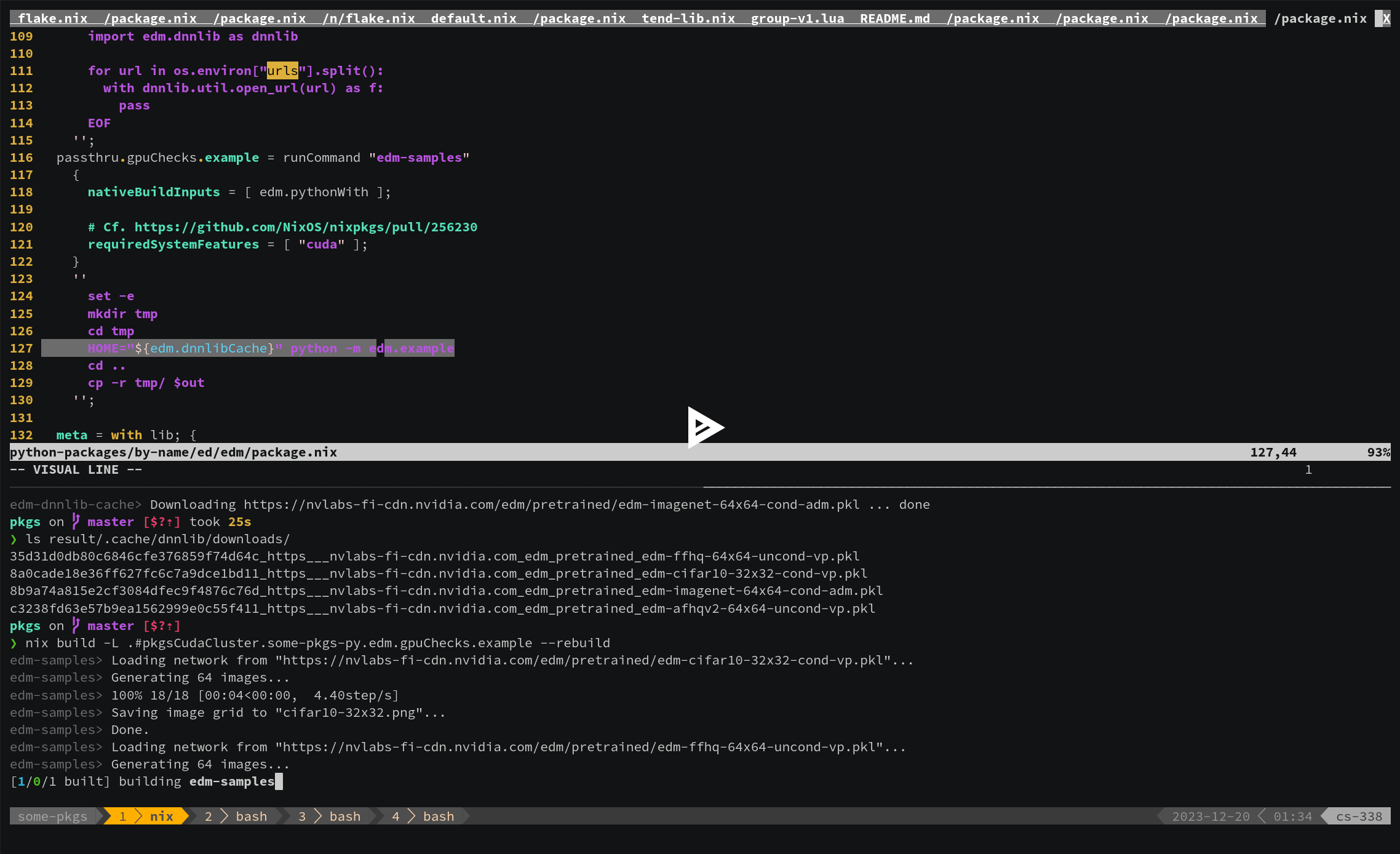
Say, for example, you’ve got a “package” for GitHub - NVlabs/edm: Elucidating the Design Space of Diffusion-Based Generative Models (EDM) · GitHub, represented by a buildPythonPackage value in the Nix language, bound to the variable edm.
As on cluster, so locally and at the edge: (I) ephemeral shells
We can prepare a python interpreter aware of this module, pythonWith = python3.withPackages (_: [ edm ]), which we can “just use” regardless of the environment we’re in:
❯ nix shell github:SomeoneSerge/pkgs#pkgsCuda.some-pkgs-py.edm.pythonWith --command python -m edm.example
Loading network from "https://nvlabs-fi-cdn.nvidia.com/edm/pretrained/edm-cifar10-32x32-cond-vp.pkl"...
Generating 64 images...
100%|███████████████████████████████████████████████████████████████████████████████████████████████████████████████████████████████████████████████████████████████████████████████████████████████████████████████████████████████████████████| 18/18 [00:04<00:00,  4.08step/s]
Saving image grid to "cifar10-32x32.png"...
...
Saving image grid to "imagenet-64x64.png"...
Done.
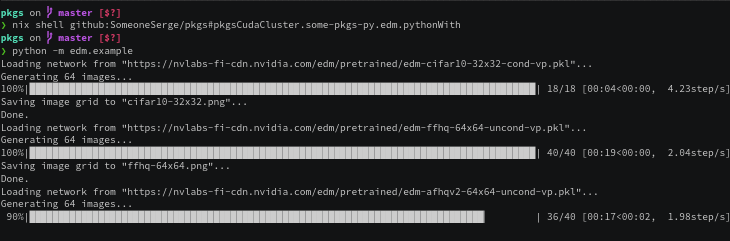
(View the recording at nix shell github:SomeoneSerge/pkgs#pkgsCudaCluster.some-pkgs-py.edm.pythonWith --command python -m edm.example - asciinema.org)
As on cluster, so locally and at the edge: (II) singularity images for datacenters
Just as we can pass edm to withPackages, we could pass the withPackages-wrapped interpreter to singularity-tools.buildImage. Its output would represent an image that can be used on an HPC cluster:
❯ nix build -L github:SomeoneSerge/pkgs#pkgsCudaCluster.some-pkgs-py.edm.image -o edm.img
❯ rsync -LP edm.img triton:
❯ ssh triton srun -p dgx --gres gpu:1 singularity exec --nv ./edm.img python -m edm.example
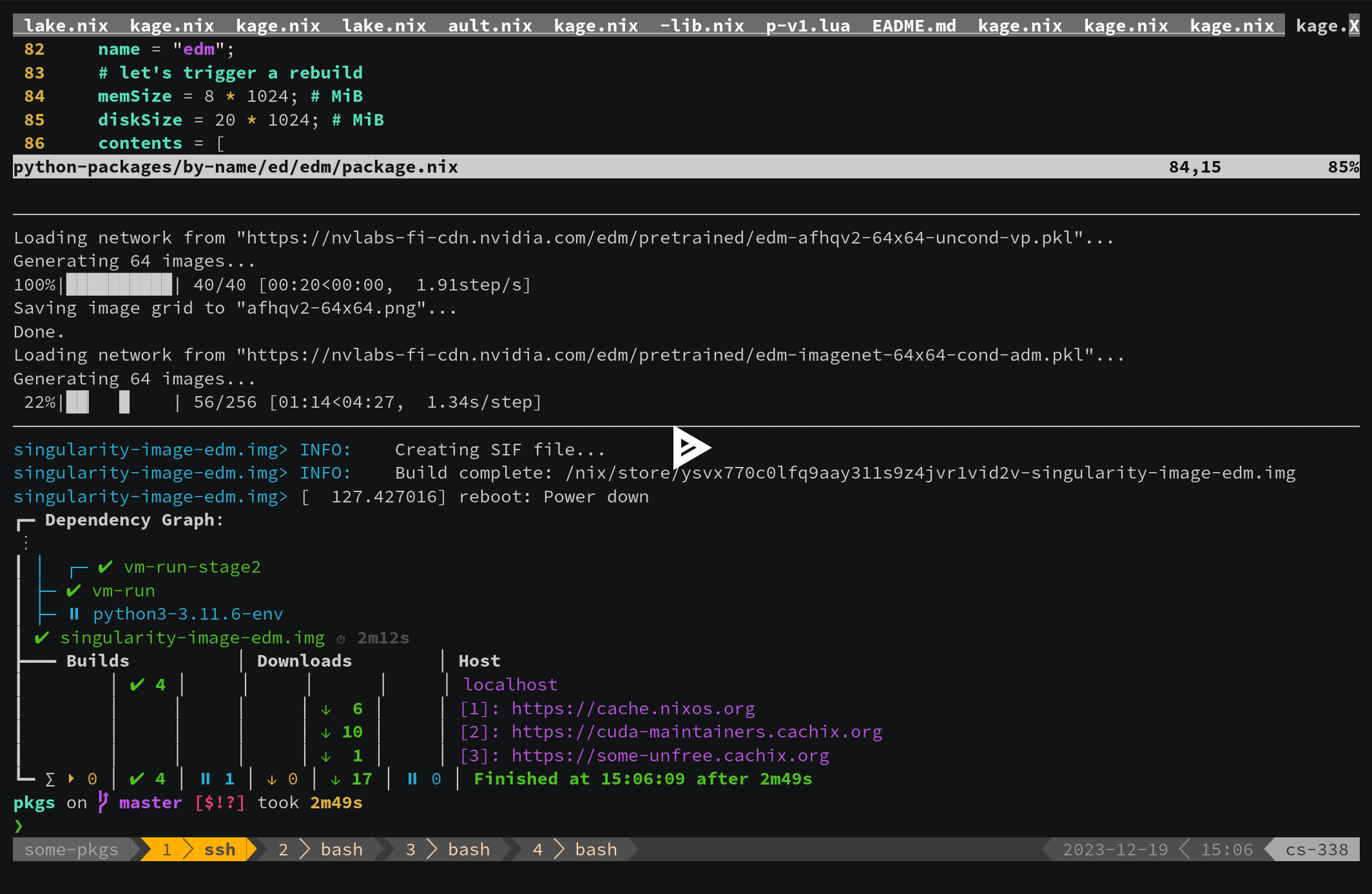
(View the recording at nom build -L github:SomeoneSerge/pkgs#pkgsCudaCluster.some-pkgs-py.edm.image - asciinema.org)
As on cluster, so locally and at the edge: (III) NVidia Jetsons
Similarly, we can instantiate a new nixpkgs with its own edm targeting NVidia’s “Jetson” devices. This is actually a very new feature, ConnorBaker’s PR, #256324, introducing the initial Jetson support was merged the day after the stream. So was yannham’s cuda_compat support, #267247. At this point we still have to do some manual work, which is why we call it the “initial support”:
$ nix build -f '<nixpkgs>' --arg 'config' '{ allowUnfree = true; cudaCapabilities = [ "7.2" ]; }' cudaPackages.cuda_compat -o cuda-compat
$ nix shell \
  github:SomeoneSerge/pkgs#pkgsXavier.some-pkgs-py.edm.pythonWith \
  github:SomeoneSerge/nix-gl-host/feat/jetson \
  --command nixglhost -d "$(readlink -f ./cuda_compat/compat)" -d /usr/lib/aarch64-linux-gnu/tegra \
  -- python -m edm.example
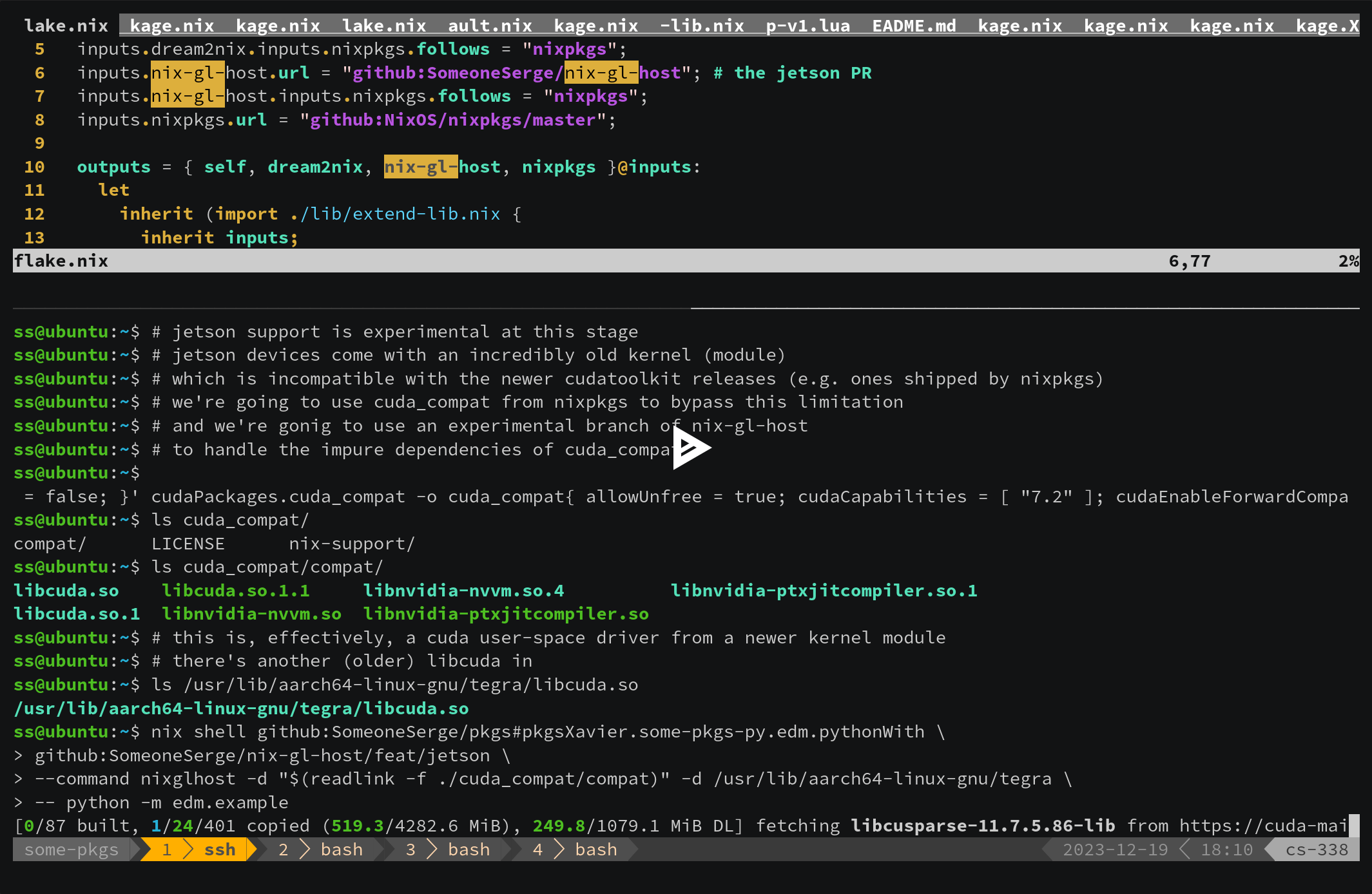
(View the recording at github:SomeoneSerge/pkgs#legacyPackages.aarch64-linux.pkgsXavier.some-pkgs-py.edm.pythonWith - asciinema.org)
The edm value as a Nix language construct can be (somewhat) safely composed with more python modules passed on to withPackages. It can be composed with other packages into mkShell values, it can be used from scripts. This value contains enough information to recreate it with with different dependencies and different parameters (.override, .overridePythonAttrs). A Nixpkgs instance contains enough information to do these changes in a way that avoids the potential conflicts with other packages (“overlays”). The composability story doesn’t end here: we could just keep the data required for building the concrete edm, i.e. keep the .drv file(s), as if Nix the language didn’t exist. That would be still enough to nix build /nix/store/xxxxxx...-xxxx.drv'^*, and we still wouldn’t have to worry about the transitive dependencies or the side-effects. We could discard all of the build-related information and only keep the final outputs. These too can be used irrespective of their dependencies, irrespective of your current PATH, et cetera:
❯ nix path-info --derivation github:SomeoneSerge/pkgs#pkgsCudaCluster.some-pkgs-py.edm.pythonWith
/nix/store/ravbr0i7snhlacgvsvhnjcb0ydjj4dk7-python3-3.11.6-env.drv
❯ nix build '/nix/store/ravbr0i7snhlacgvsvhnjcb0ydjj4dk7-python3-3.11.6-env.drv^*' --print-out-paths
/nix/store/698acq61jwq6l47zbwfwcwqbrdmrh56d-python3-3.11.6-env
❯ # Now just use the produced binary as the self-sufficient conflict-free entry point it is:
❯ ./result/bin/python -m edm.example
Loading network from "https://nvlabs-fi-cdn.nvidia.com/edm/pretrained/edm-cifar10-32x32-cond-vp.pkl"...
...
This value, edm, the immutable thing addressed by a piece of syntax, that can be moved around, passed on to functions, re-evaluated with new arguments, that preserves all of the information about its dependencies, that can be built, that can be given a compressed unique name, is Nix’s “unit of distribution”. So is the .drv, and so is the the output path, each gradually removing more and more information about where the unit came from.
A distributed file-system for “package installations”
One vision (“EESSI”) for how to manage “software installations” in HPC environments is that there could be dedicated a distributed filesystem, shared between many different parties’ clusters and managed in a centralized manner, where each unique piece of software would be installed just once by an authorized entity, and each would come with its own host-independent libc, and the end-users would transparently fetch these installations. Every researcher would be able to specify “exactly” which software they used, and their results would be reproducible on other clusters. Only a few issues would remain, like managing the kernel modules, notably the nvidia drivers.
It’s not hard to see, that Nix(pkgs) has pretty much always been that. The /nix/store does behave like a network file system. It’s a weird one: its contents can be cached without any care for invalidation, and the output paths in this file system do not necessarily need to have been materialized anywhere in the world before the user asks for them. It’s a weird one, but it looks and quacks like a network file system described in the linked reference.
EDIT: In certain (many) ways EESSI might look similar to Packages.redbeardlab.com a public CernVM-FileSystem bootstrapped thanks to Nix, Distributing the Nix store with CVMFS+Nix? - #4 by siscia. The analogies and differences are reviewed in more detail in Questions on Nix as dev platform for HPCs - #2 by JosW
Packaging
There isn’t anything particularly special about packaging CUDA/ROCm-accelerated applications using Nixpkgs. In case of CUDA, you pass cudaPackages.cuda_nvcc to nativeBuildInputs, and normal libraries to buildInputs: buildInputs = with cudaPackages; [ cuda_cudart cuda_cccl libcublas libcurand ... ] (it’s currently preferred individual outputs like .dev and .lib instead of the default out, but that’s just temporary). One currently has to manually account for config.cudaCapabilities, see the examples of handling cudaPackages.cudaFlags in the nixpkgs repo. This requirement probably won’t stay long either.
Some projects (tensorflow) might enforce that all the components of CUDA (ROCm) are to be in a single prefix (as opposed to e.g. cudart and cccl coming in multiple independent outputs). One way to handle those, although extremely undesirable, is to use symlinkJoin. This is a last resort solution because it makes cross-compilation much harder (no automatic splicing), and because that keeps more of the build closure at runtime (unless more hacks are applied). The preferred solution is to contact upstream.